2026 dental imaging recommendations: what changed
The ADA and AAOMR update patient-selection recommendations for two-dimensional imaging and CBCT.
ADA NewsRead article ↗
Dental case coordination
Bring imaging files, plan reviews and laboratory requests into one case workspace. Know what’s ready, what changed and who acts next.
Explore a sample case ↗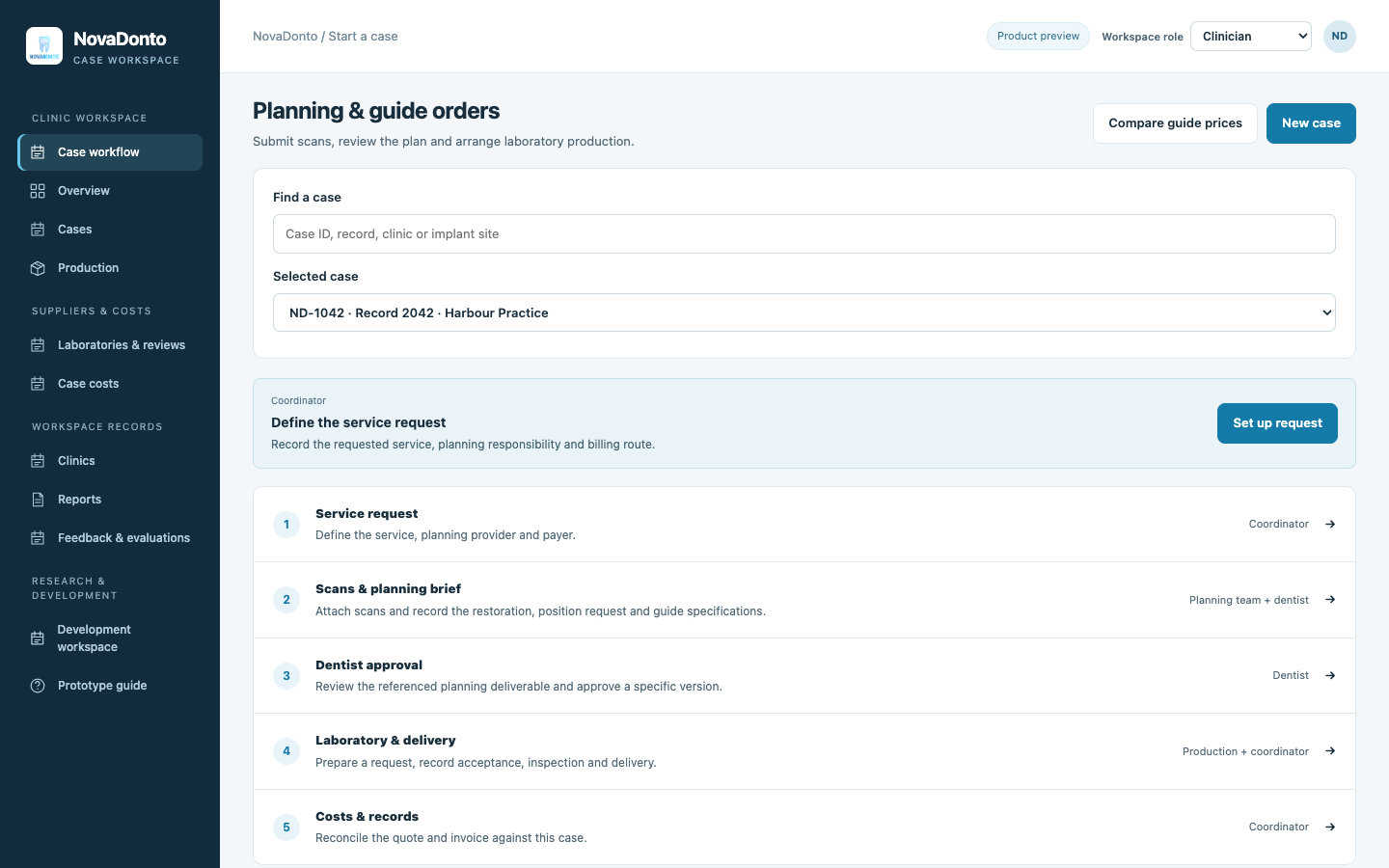
From request to case record
A clinic prepares the request. A reviewer records a decision on the current plan. The team coordinates the laboratory work and keeps the resulting records together.
01 / Imaging & case files
Keep the case request beside its CBCT and surface-scan records. Inspect file information and identify what is still needed before the review begins.
Try it in the prototype ↗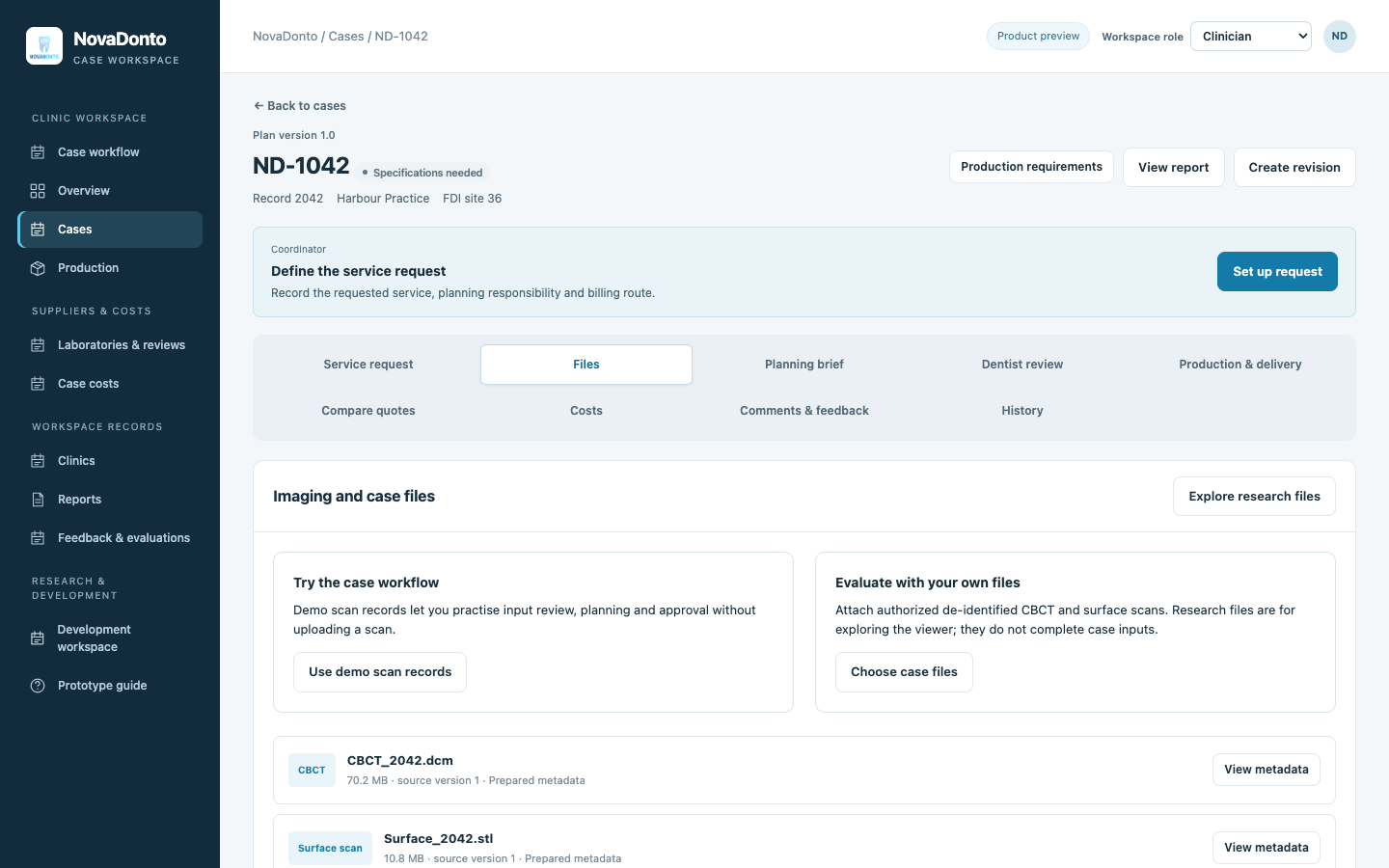
Keep attachments and their source versions with the relevant request.
See missing inputs before sending the case to its next stage.
Explore published imaging resources and registration experiments separately from the case record.
02 / Planning & review
Record the requested service, planning instructions and component choices. Review the proposal against a named version so later changes remain visible.
Try it in the prototype ↗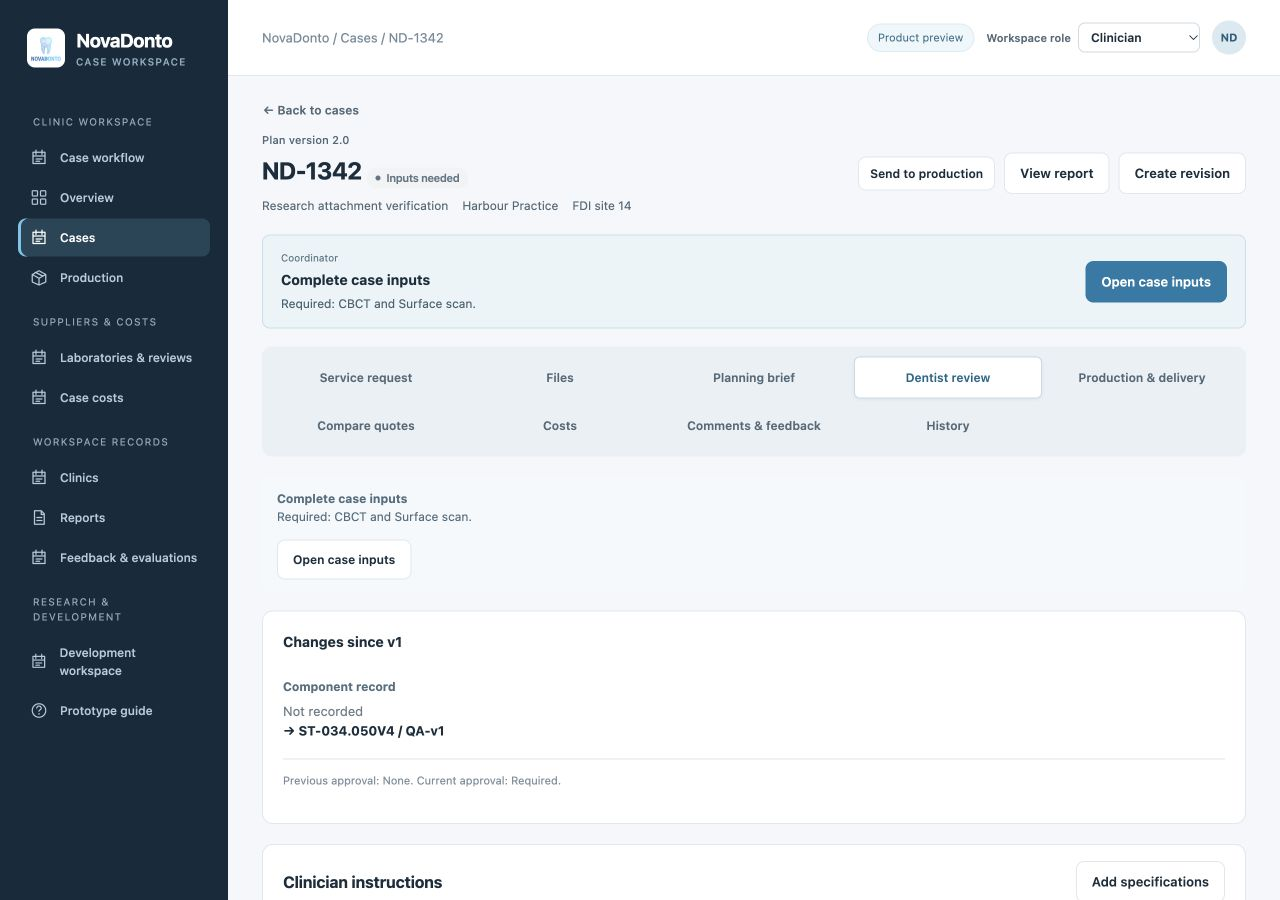
Specify the intended deliverable and responsible provider.
Record approval, a requested change or a hold with the review notes.
Keep the earlier decision when a revised proposal is created.
03 / Provider coordination
Use the laboratory directory to explore providers, prepare a service request and record comparable quotations. Keep deliverables, exclusions and billing arrangements beside the case.
Try it in the prototype ↗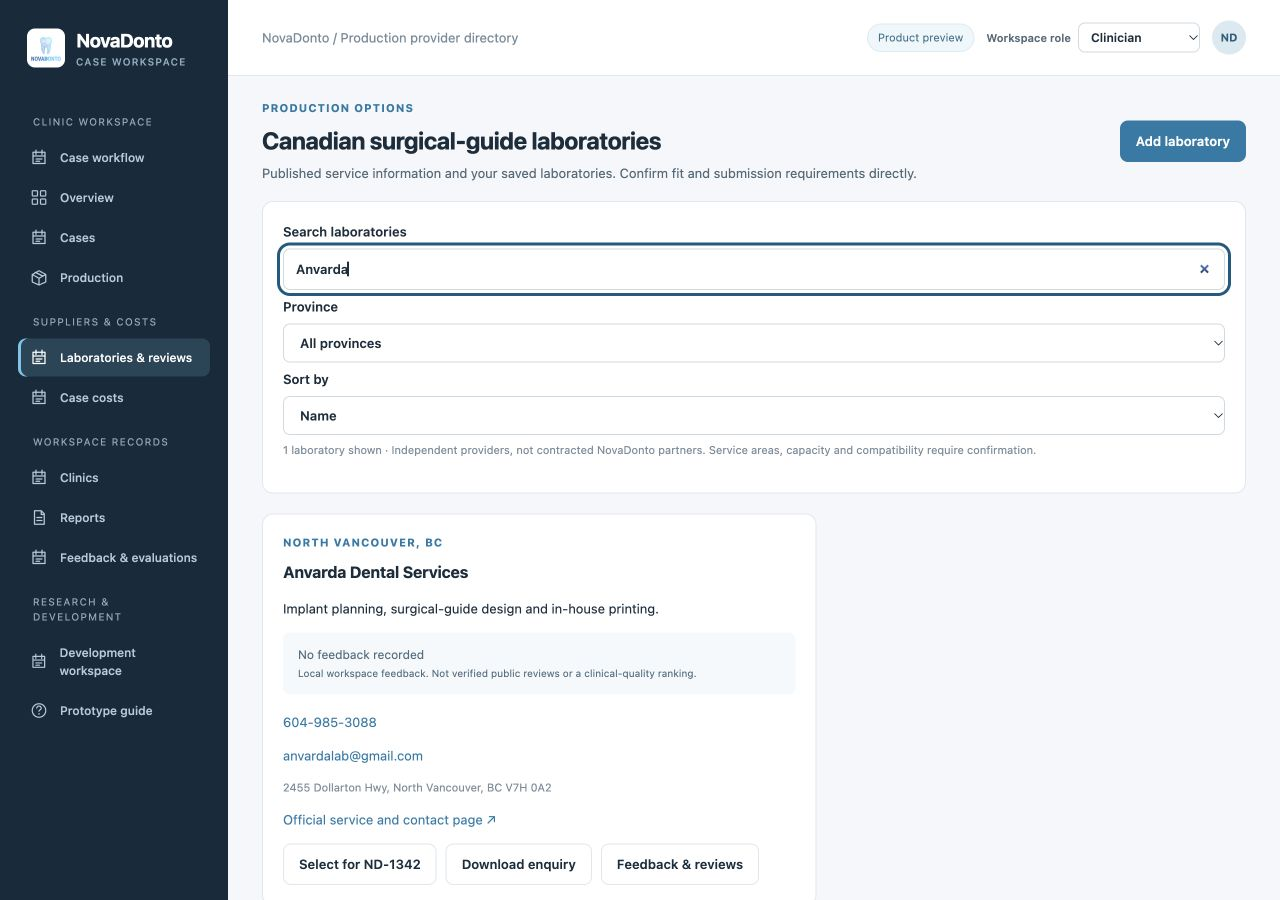
Review published services and contact routes in one directory.
Specify the same deliverable, components and timing for each quotation.
Record the selected scope and charges before preparing the order.
04 / Production & delivery
Prepare the laboratory request from the case record. Track acceptance, inspection and delivery, with a place to record changes or remake issues.
Try it in the prototype ↗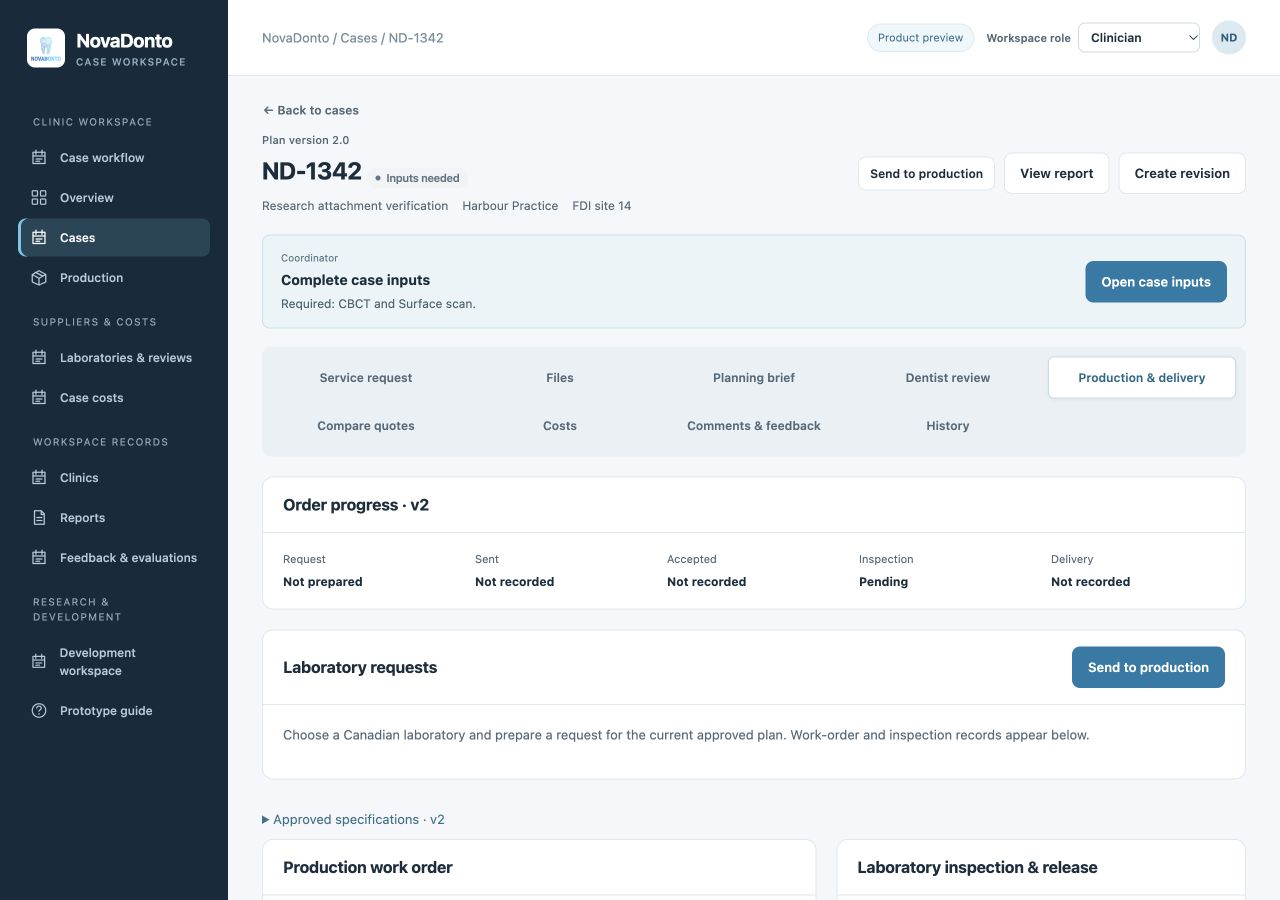
Connect the requested output to the current approved specification.
Distinguish a prepared request from acceptance, inspection and delivery.
Keep the reason for a hold or remake with the affected order.
05 / Costs, feedback & reporting
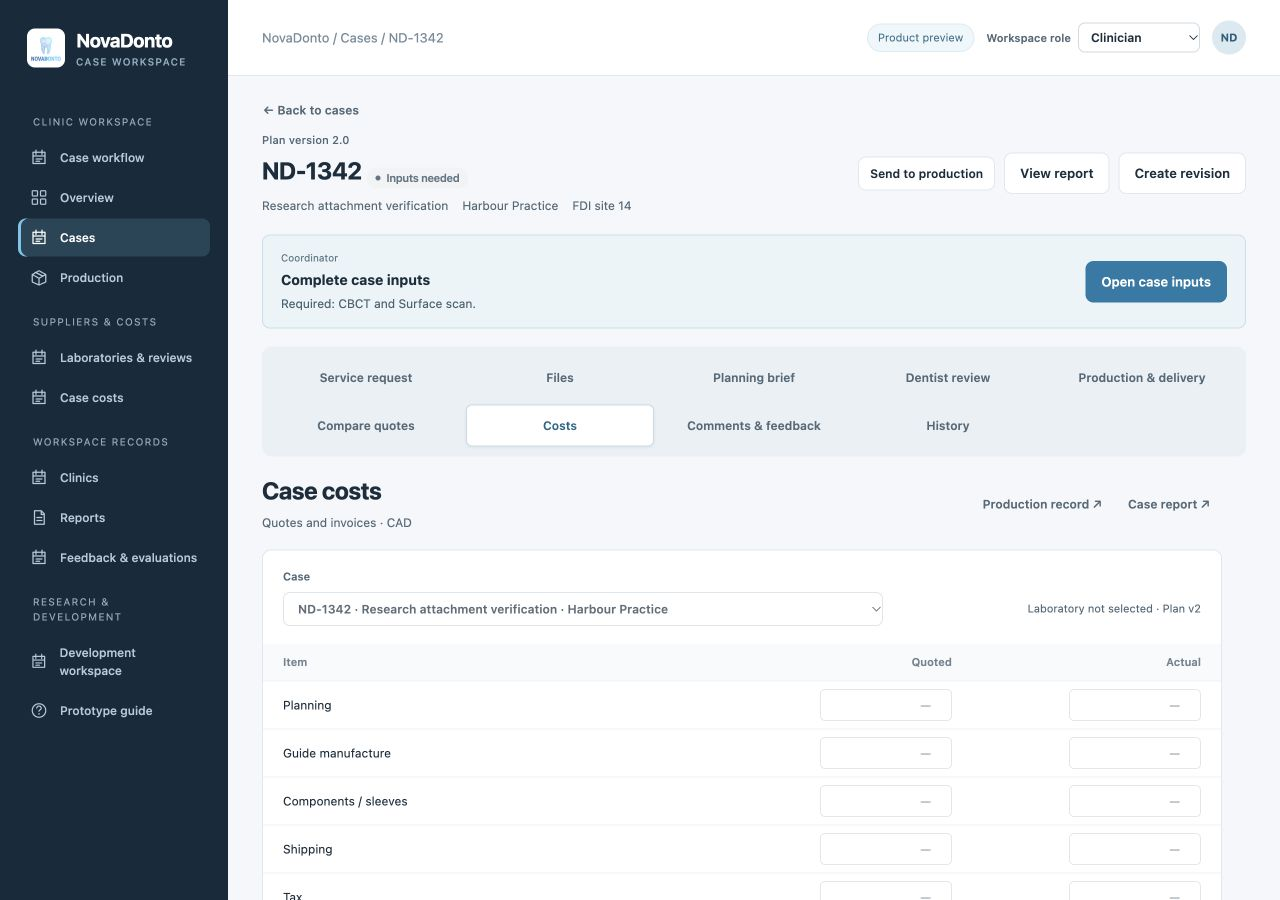
Review the cost difference, follow up on feedback and prepare a report from the information already recorded.
Compare quoted and actual planning, manufacturing, component and shipping amounts. Retain the difference against the individual case.
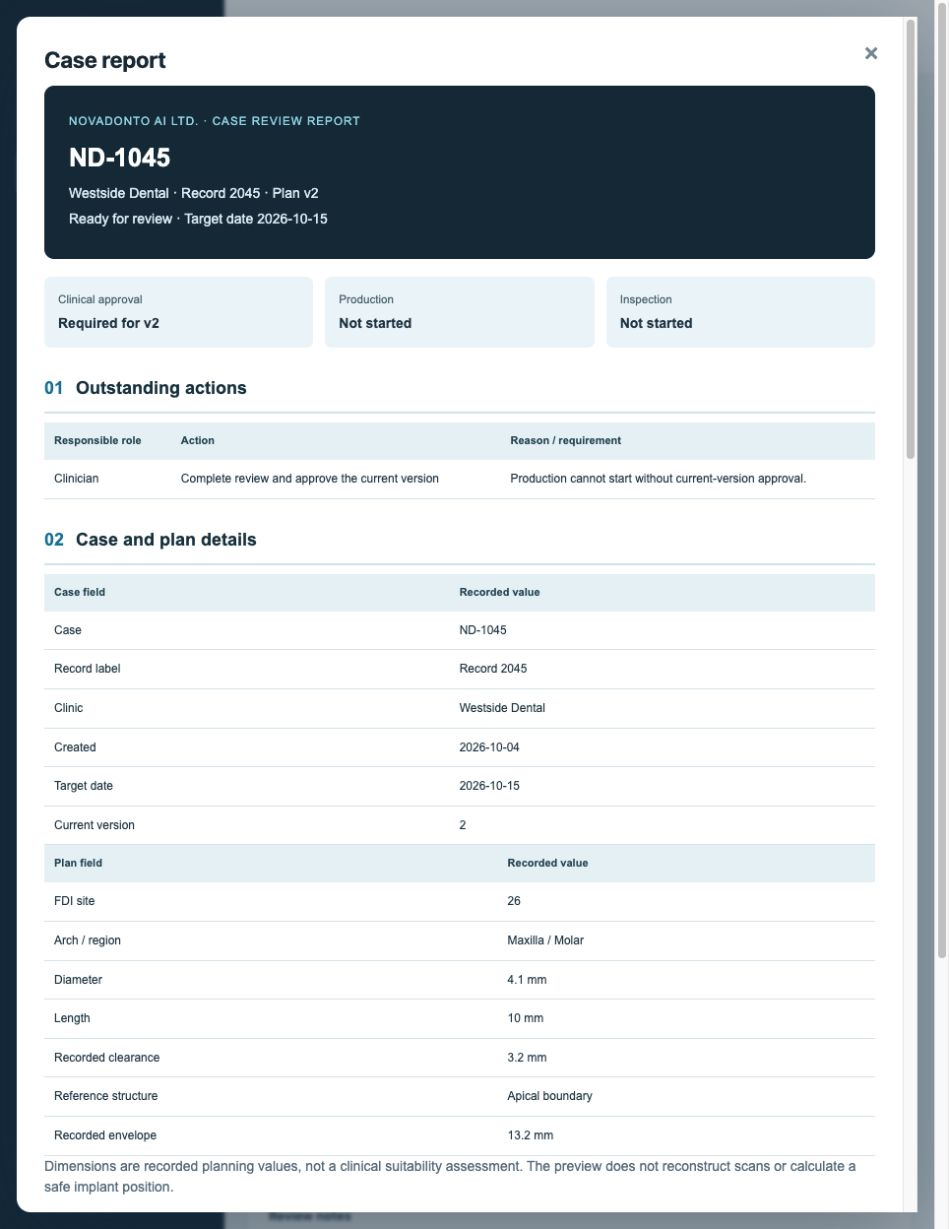
Prepare readable reports for case history, production and evaluation. Export the supported reports in PDF or Excel for review outside the workspace.
The dental technology journal
Industry developments, Canadian guidance and practical perspectives.
The ADA and AAOMR update patient-selection recommendations for two-dimensional imaging and CBCT.
A reading guide to the official benefit rules, provider information and coverage questions.
Read the April 2026 coverage announcement without confusing eligibility, treatment and market demand.
Common questions
Explore sample cases through intake, plan review, laboratory coordination, costs, feedback and reporting. Explore the included example cases.
The current prototype supports workflow coordination and bounded research experiments. Clinical decisions remain with the responsible dental professional; the prototype is not a validated diagnostic or clinical planning system.
Use sample data in this preview. A live clinical service requires the appropriate access controls, data agreements and operational setup before patient information is accepted.
Prepare the requested scope, record quotations and connect the selected provider to a work order. Request, acceptance, inspection and delivery have distinct records.
The prototype provides PDF and Excel outputs for supported reports and studies. Open the reporting workspace to choose the relevant record.
Use the interest form below to preview beta and journal preferences. Preferences are saved in this browser; email delivery is not connected.
Choose industry updates, beta information, or both.
Preview form: preferences are saved only in this browser. No email is sent. Use a sample address.